
eSIM

An eSIM is a digital SIM built into your phone.

Instead of inserting a physical SIM card, you scan a QR code to install the eSim to your device. This means faster activation, no SIM delivery, and no need to swap SIM cards.  

When you order a Dodo eSIM we’ll send you a QR code once it’s ready, just scan it on your phone to finish setup and you’re good to go!* 

*Dodo Mobile eSIM is not compatible with smartwatches or smart wearables.
 

Most phones released from 2019–2020 onwards support eSIM. Your phone must be eSIM compatible to use this option.

You can check instantly:

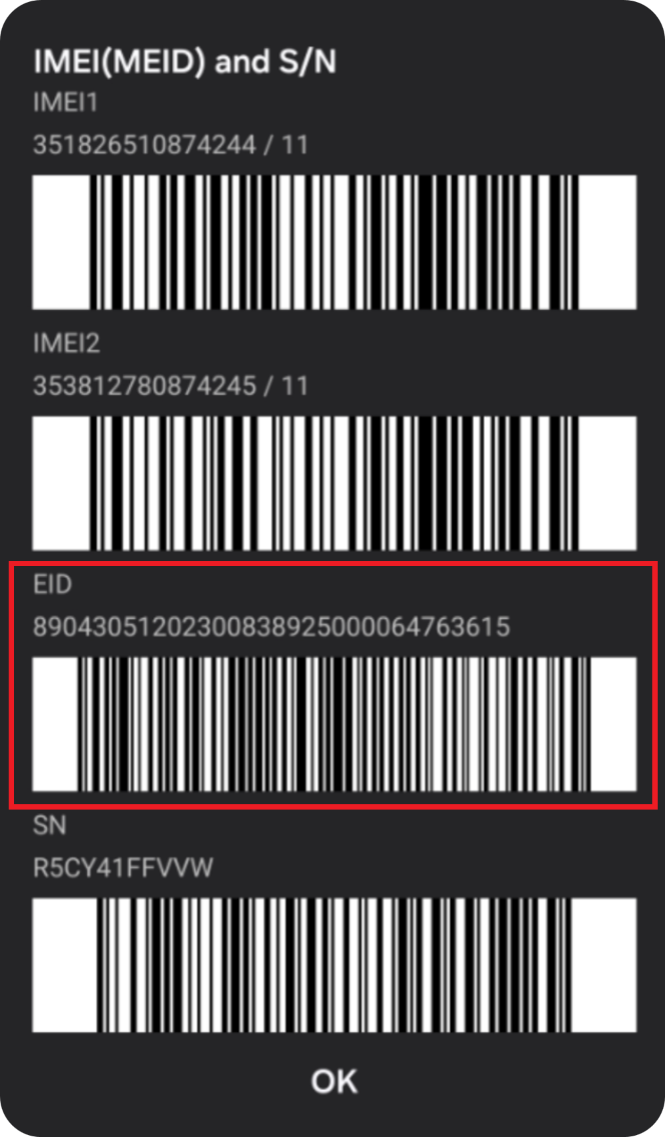
  1. Dial *#06# on your phone 
  2. If a 32 digit EID number appears, your device supports eSIM and you’re good to go!

Example EID number


We will send an activation QR code as soon as your eSIM service is ready. Please ensure that your device remains connected to a stable Wi-Fi connection.

New Number

  • You should receive a code within a few minutes.

Keeping Your Number

  • You will receive an activation QR code as soon as the transfer is complete.
  • Most transfers are ready within a few minutes, but can sometimes take longer (4 hours up to 2 business days in some cases)*.
  • Your current service will remain active until the transfer is completed.

*Requests submitted outside standard porting hours (Mon–Fri 8am–8pm, Sat 10am–6pm AEST, excl. public holidays) will process the next operating day.

Activation:

  1. Open the email with QR Code
  2. Scan the QR code using one of the options below;
    1. Open the QR code on another device (tablet, computer, phone, etc.) and scan it using your phone’s camera.
    2. Open the QR on your device:
      • Android users tap the QR code, then tap then using the menu button (3 vertical dots on the top right of the screen) select “Recognise QR codes” to proceed.
      • iOS users use the mail app, then tap and hold the QR code to proceed.
    3. Print the QR code and scan it using your phone’s camera.
  3. Your phone will prompt you to install the eSIM.
  4. Follow the on screen instructions to complete activation.
  5. Your all done and good to go!

An eSIM replacement is required to complete this process.

Contact support here to reconnect with a replacement eSIM.